
Find The Projects That Fit Your Expertise
Stop Chasing Leads & Repeating Calls. Review Relevant Construction Projects, Read The Details And Respond When The Work Fits Your Business.

Your Expertise Deserves Better Project Opportunities
Inchaa Helps Building Contractors, Engineering Consultants & Construction Service Providers Connect With People Who Are Actively Looking For Their Expertise.

Where Expertise Meets Opportunity.
Connect With Project Owners Who Need What You Do, And Respond When The Work Fits.
Get Seen
Create A Professional Presence That Showcases Your Services & Capabilities.
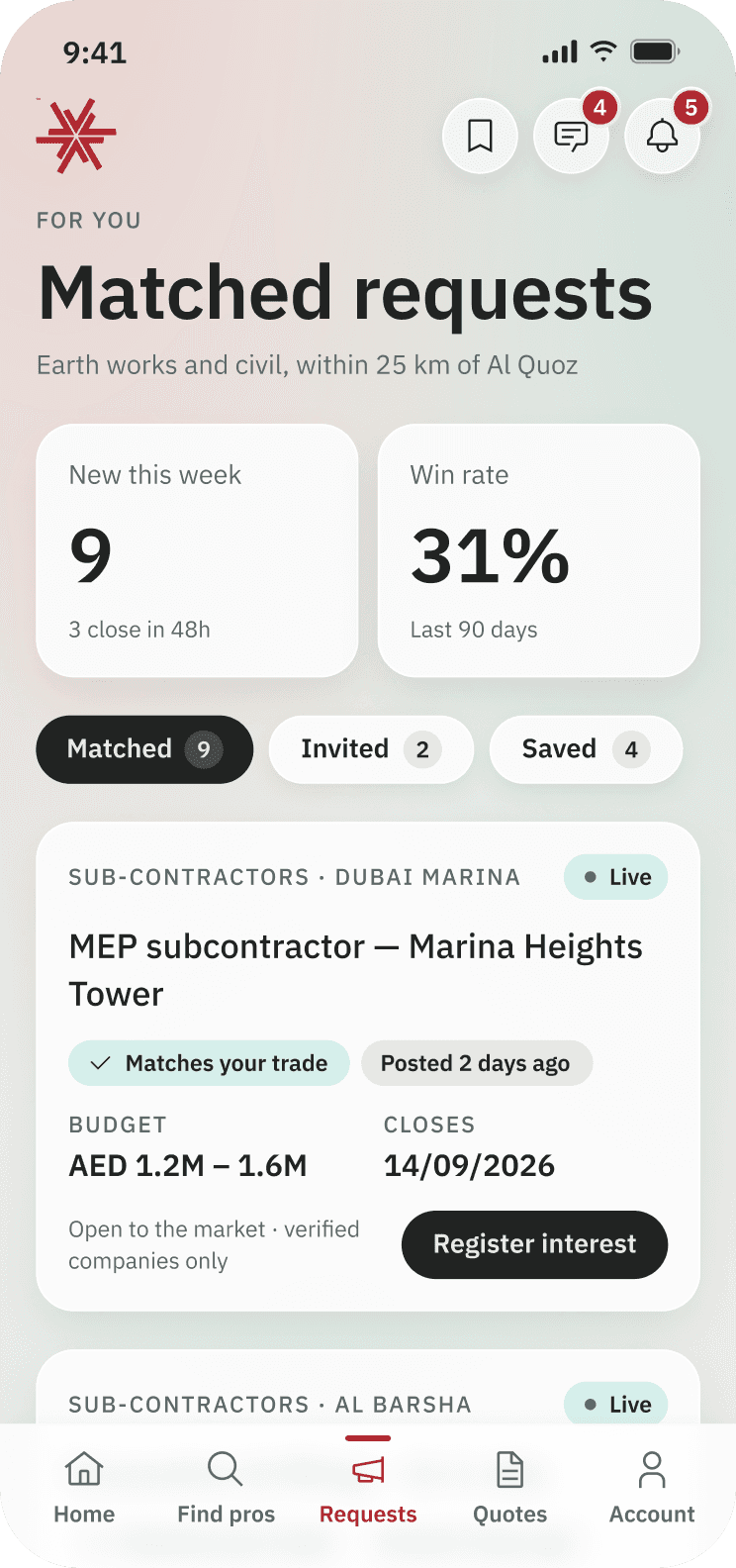
Find Relevant Projects
Access Project Building Construction Opportunities Related To Your Area Of Work.
- AR
Al Rashid Co.
2h agoFilling · Main package
Method statement — filling.pdfSent the revised method statement for review
2 - M&
Mansouri & Sons
5h agoConcrete works · Clarification
Noted. We will need the answer by Thursday
1
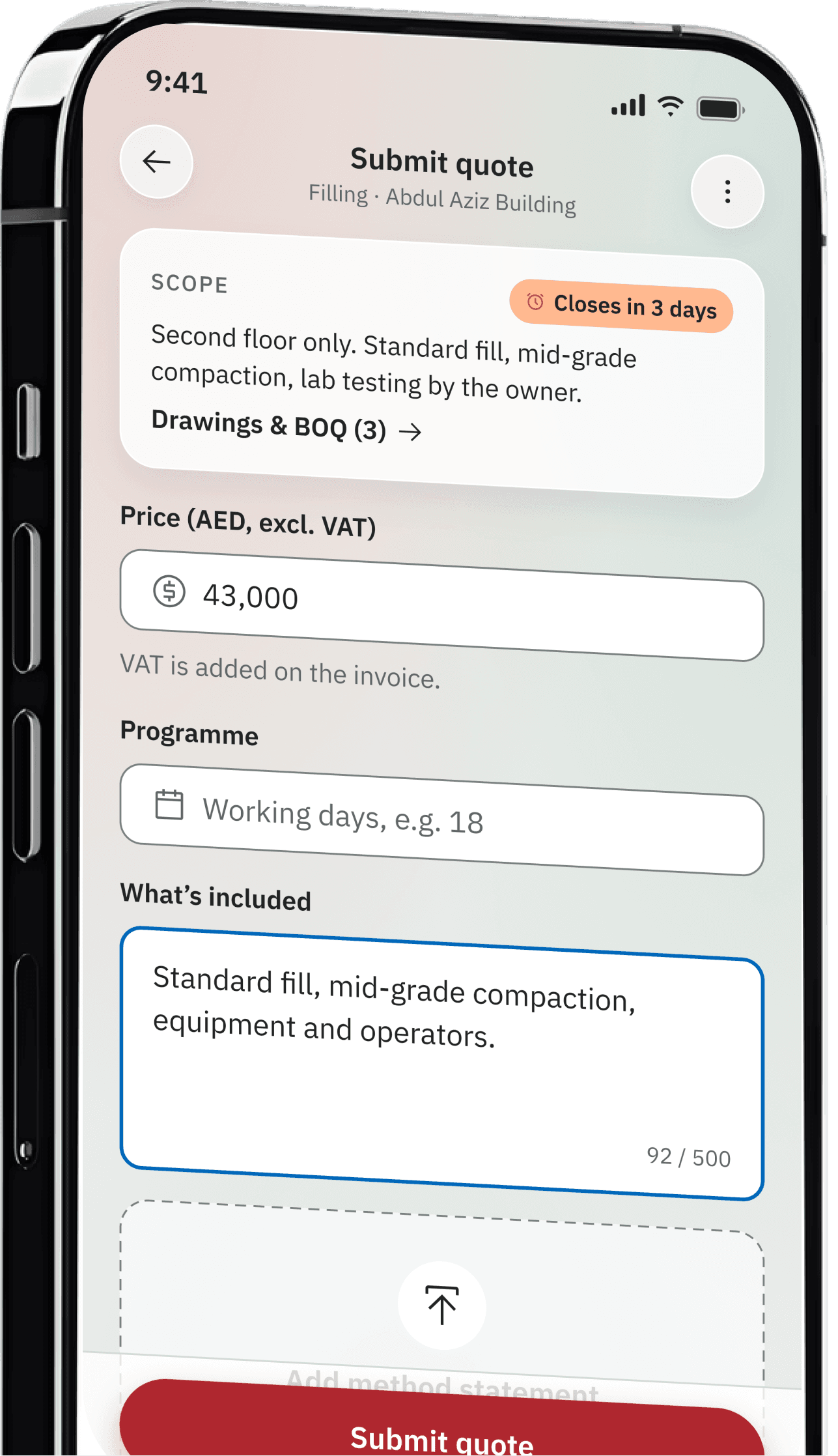
Respond To Requirements
Review Project Details And Submit Your Quotation When The Opportunity Fits Your Business.

Grow Your Network
Connect With Project Owners And Build Relationships That Can Lead To Future Opportunities.
Less Chasing. More Relevant Projects.
Requests Arrive With The Details You Need, So You Can Focus On Work That Fits Your Business Instead Of Chasing Calls And Messages.
Relevant Opportunities
Find Construction Projects That Match Your Trade And Area Of Work.
Clear Project Details
See The Scope, Location And Requirements Before You Decide To Respond.
Multiple Project Owners
Connect With Different Owners And Businesses Looking For Construction Services, And Find New Opportunities As They Come.
Organised Communication
Keep Every Response And Quotation In One Place, From The First Requirement To The Owner's Decision.

Meet Amer, Your Inchaa Assistant


Ask Amer To Help You Describe Your Project, Understand The Next Step Or Find Your Way Around The App.
- Helps You Describe Your Requirement
- Answers Questions About The App
- Points You To The Next Step
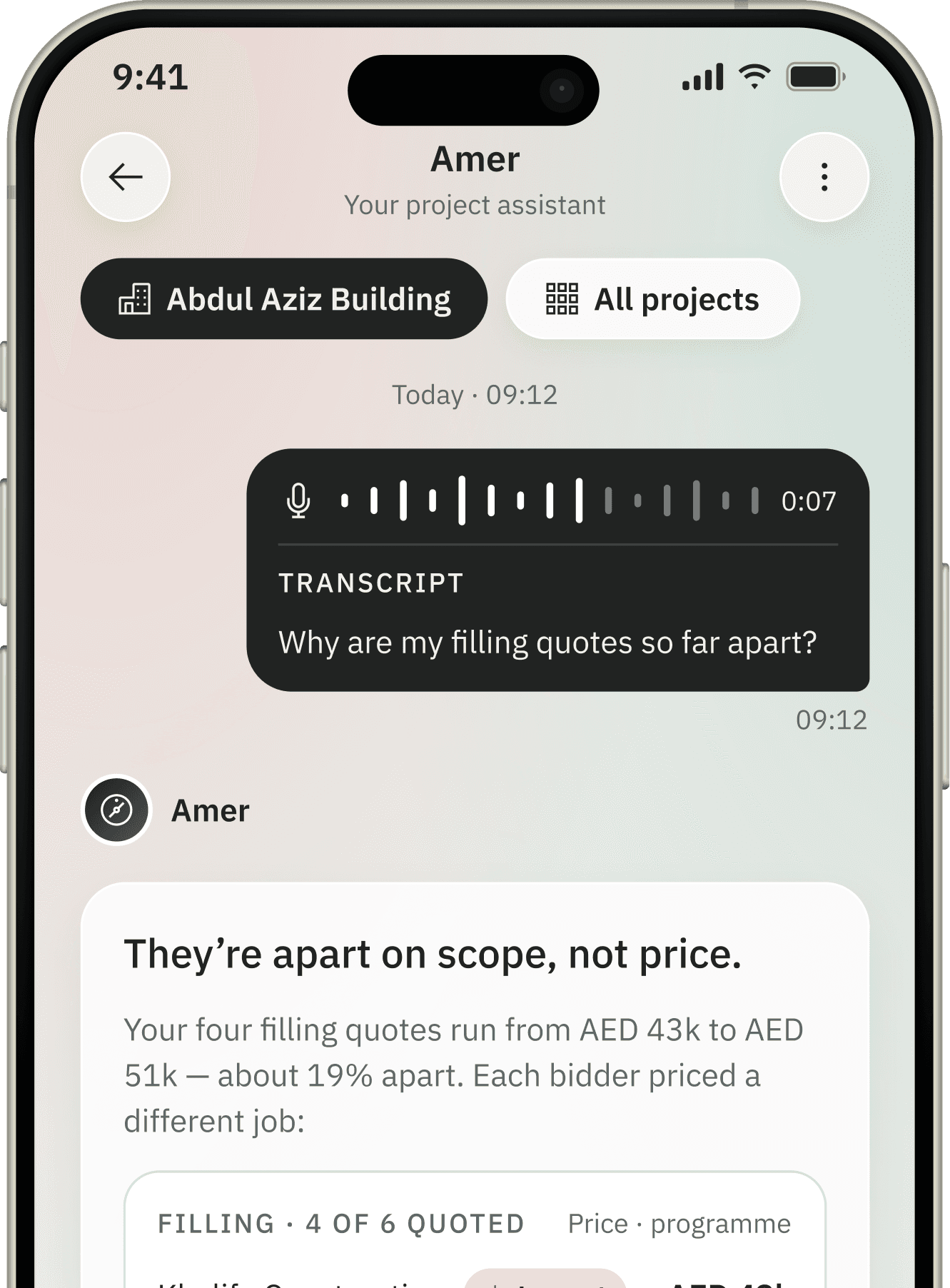
Transcript
Why are my filling quotes so far apart?
09:12
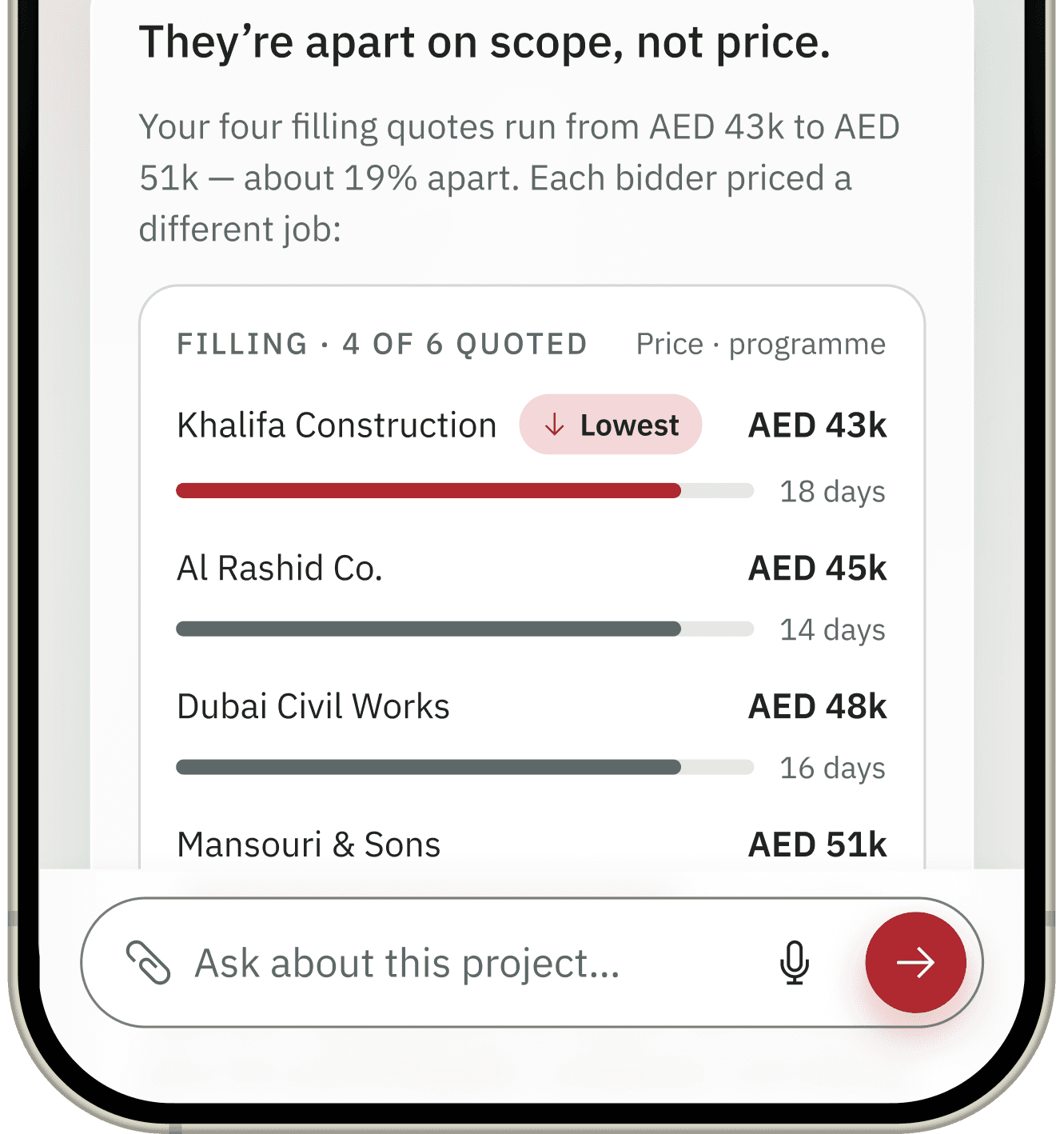
They’re apart on scope, not price.
Your four filling quotes run from AED 43k to AED 51k — about 19% apart. Each bidder priced a different job:
Filling · 4 of 6 quoted
Price · programmeAmer Is An AI Assistant. It Helps You Find Your Way Around Inchaa And Does Not Replace The Professionals You Work With.

Less Searching. More Meaningful Connections.
Relevant Connections
Find Construction Professionals Based On The Requirements Of Your Project.
Relevant Connections
Find Construction Professionals Based On The Requirements Of Your Project.

Have A Project? Start With The Right Connection
Tell Us What You Need Or Create Your Professional Profile And Become Part Of The Inchaa Construction Network.
Questions You Might Have
Something Else On Your Mind? Our Support Team Answers In The App And By Email.
Join The Inchaa Professional Network
Are You A Contractor, Consultant, Construction Company, Or Specialist Service Provider? Tell Us About Your Business And The Services You Provide.